192
Product overview
Everything you need to tune, test, and undo.
YUKFUE combines a large Windows gaming tweak library with before-and-after measurement, a transparent Free/PRO split, and Restore Center controls for supported changes.
Verified product map
Power with the counts and caveats visible.
43 Free / 149 PRO 192 total tweaks Windows 10 / 11 $19.99 once
No subscription. Results vary by PC, and rare one-way actions remain labeled exceptions.
The capability strip
The product at a glance.
43
Included in Free
149
Unlocked with PRO
Before → after
Benchmark included
Restore Center
Supported-change controls
8 + Custom
Theme choices
01 · Tweak library
A broad library. An exact split.
The documented library contains 192 tweaks across 13 categories. Free includes 43 working tweaks across every category; PRO expands the library with the remaining 149 and deeper tools.
The category mix spans performance, network, privacy, services, gaming, input, power, cleanup, hardware-aware, and advanced controls. Relevance varies by PC—review what a change does before applying it.
See the exact Free vs PRO split → 01
Performance
02
Network
03
Privacy
04
Services
05
Gaming
06
Visual & Input
07
Power
08
Mitigations
09
Bloatware
10
NVIDIA
11
Audio
12
Pre-Game Cleanup
13
Advanced
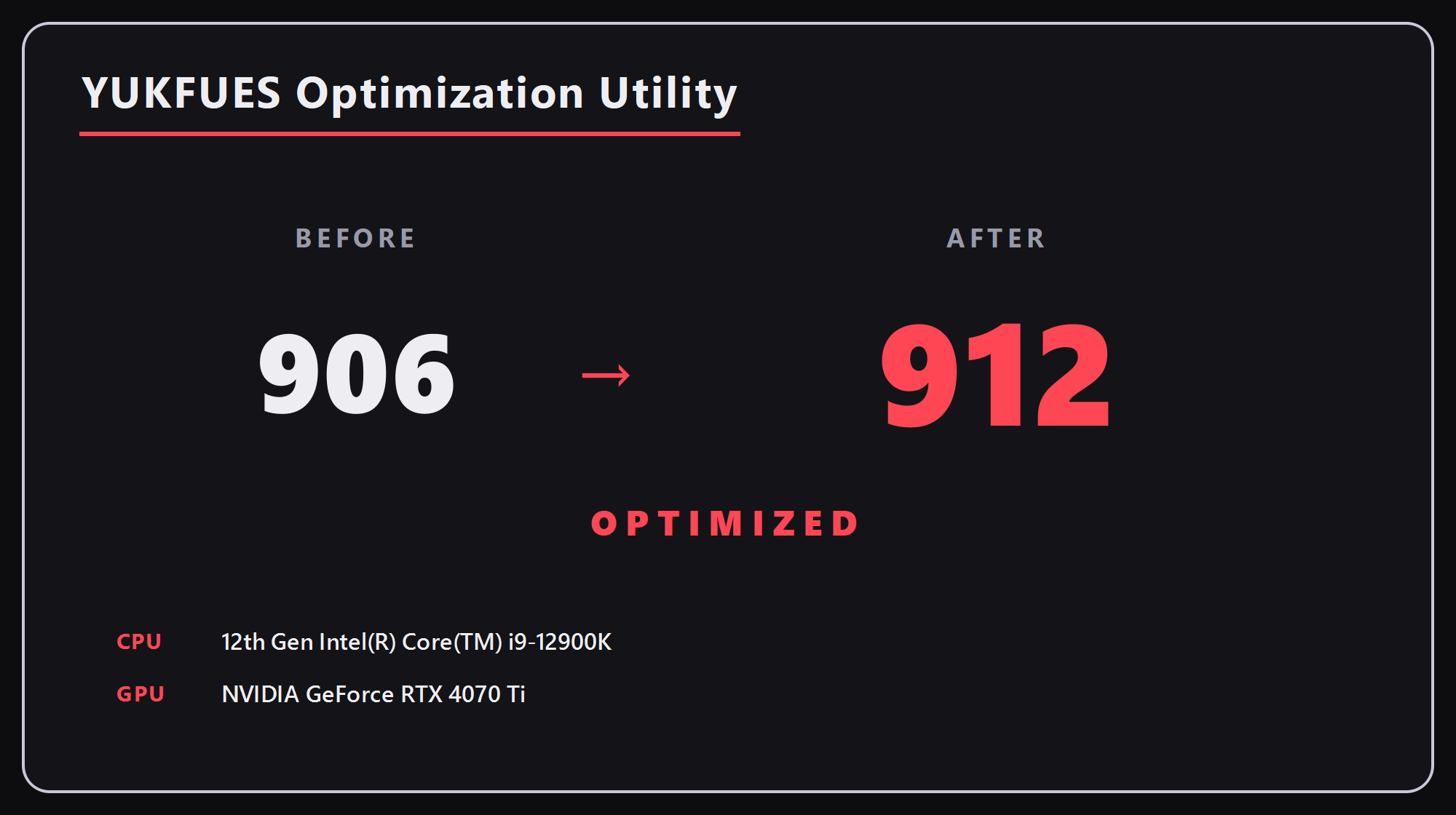
02 · Benchmark and Share My Score
Measure before. Measure after. Keep variance honest.
The built-in benchmark compares documented responsiveness signals before and after your selected changes. Its variance margin helps separate normal run-to-run wobble from movement worth investigating.
- Timer, processor, disk, memory, input-latency proxy, and frame-pacing signals
- No universal FPS or latency promise
- Optional Share My Score card saved locally and copied to your clipboard
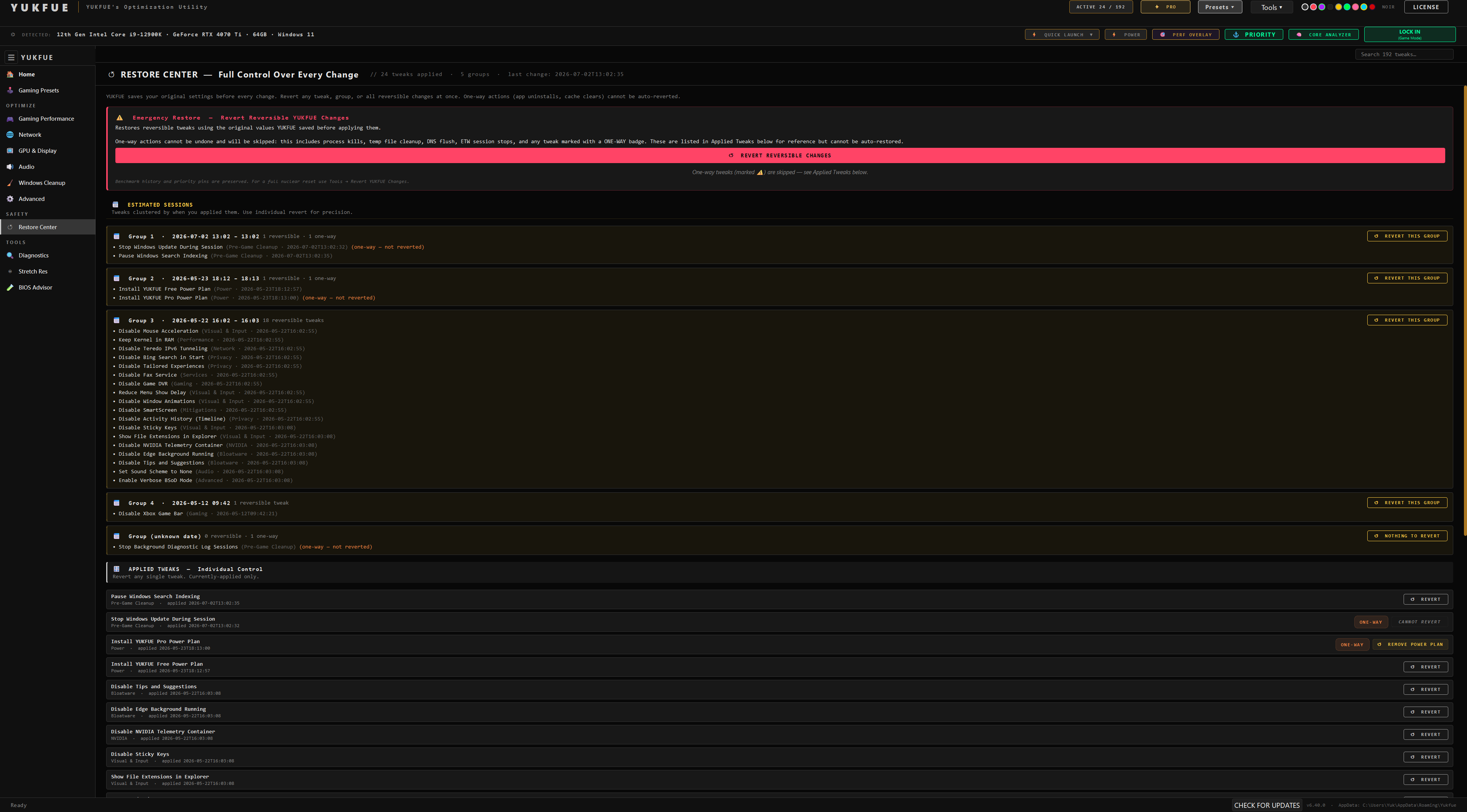
03 · Restore Center
A path back for supported changes.
YUKFUE saves the original setting before applying a supported tweak. Applied supported changes appear in Restore Center and can be restored individually.
The boundary matters
Rare actions that cannot be automatically undone are labeled one-way before application. Restore Center is not a full-system backup and cannot promise recovery from every possible Windows change.
04 · Gaming and Custom Presets
Choose a game—or build your own set.
Browse Gaming Presets, review the proposed changes, and see flagged conflicts before applying a game-focused setup. Custom Presets let you hand-pick tweaks, name a setup, and reuse it later.
- Free includes preset browsing and the free-tier per-game setup
- Tournament-readiness checks cover relevant Secure Boot, TPM, and IOMMU context
- Custom setups can be named, reused, renamed, or deleted
05 · PRO tools
Deeper controls when you want them.
PRO adds the remaining tweak library and dedicated tools for users who want deeper inspection and control. It is optional, not required to use the benchmark or Restore Center.
Core AnalyzerEthernet TuningStretch ResolutionPriority PinnerAudio profile applyOne-click apply
Compare the tiers → 06 · Themes and interface
Make the interface yours.
Choose from eight built-in themes or build a Custom theme. A UI Size control scales the interface for your display and preference.
Noir is the default; the other built-in choices are Valorant, Call of Duty, Matrix, Fortnite, Gotham, Sakura, and Chaos.
THEME
Noir
THEME
Valorant
THEME
Call of Duty
THEME
Matrix
THEME
Fortnite
THEME
Gotham
THEME
Sakura
THEME
Chaos
CUSTOM
Build your own theme
07 · Free and PRO
Start useful. Upgrade only if it fits.
Free is not a timed demo: it includes 43 working tweaks across every category, the benchmark, Share My Score, Restore Center, and preset browsing. PRO is the optional $19.99 one-time unlock for the remaining 149 tweaks and additional tools.
No subscription. No need to buy before measuring your own PC.
FREE
43 tweaks
Benchmark, Share My Score, Restore Center, and a useful cross-category starting point.
Download Free →PRO · $19.99 ONCE
149 more
The remaining tweak library plus dedicated PRO tools, purchased through Gumroad and activated with the emailed key.
Compare Free vs PRO →Tune with context
Start free. Test the result. Keep the caveats close.
Explore the useful Free tier, compare PRO when you are ready, and use the benchmark and safety pages for the full context.